
For all the latest on Wirify please visit Wirify.com.
» Wirify Pro with OmniGraffle, Balsamiq Mockups, Microsoft Visio and SVG (for Adobe Illustrator and other applications) export functionality is now available.
Interaction designers spend a fair bit of time creating and revising wireframes in the early phases of our online projects. Whatever your take on wireframes is, they are a mainstay in the user experience professional’s toolkit. Although typical wireframes are essentially dead documents, they’re extremely helpful as thinking and communication tools during a project. We even have several great websites dedicated to sharing your wireframes and wireframing techniques with other designers.
Still, wireframes are essentially a one-way street, a journey from the website concept and high-level information architecture to visual comps and ultimately real HTML, CSS and interactive behaviour. Once the site is live, you never go back to the wireframes. Until now.
Wirify lets you turn any web page into a wireframe
Wirify is a bookmarklet that lets you turn any web page into a wireframe in one click. It’s lightweight and works in many modern browsers. To use Wirify drag the link below to your Bookmarks toolbar (or right-click > Add to Favorites in IE):
Please visit Wirify.com to install the bookmarklet
Then go to your favourite web page and click “Wirify by Volkside” in your bookmarks toolbar – it’s as simple as that!
Please note that by accessing, installing or using Wirify you agree to the terms of use.

Follow @jopas on Twitter, view Jussi’s LinkedIn profile or read his bio.
The following wireframes have been created using Wirify and besides basic cropping and resizing they are completely unedited:
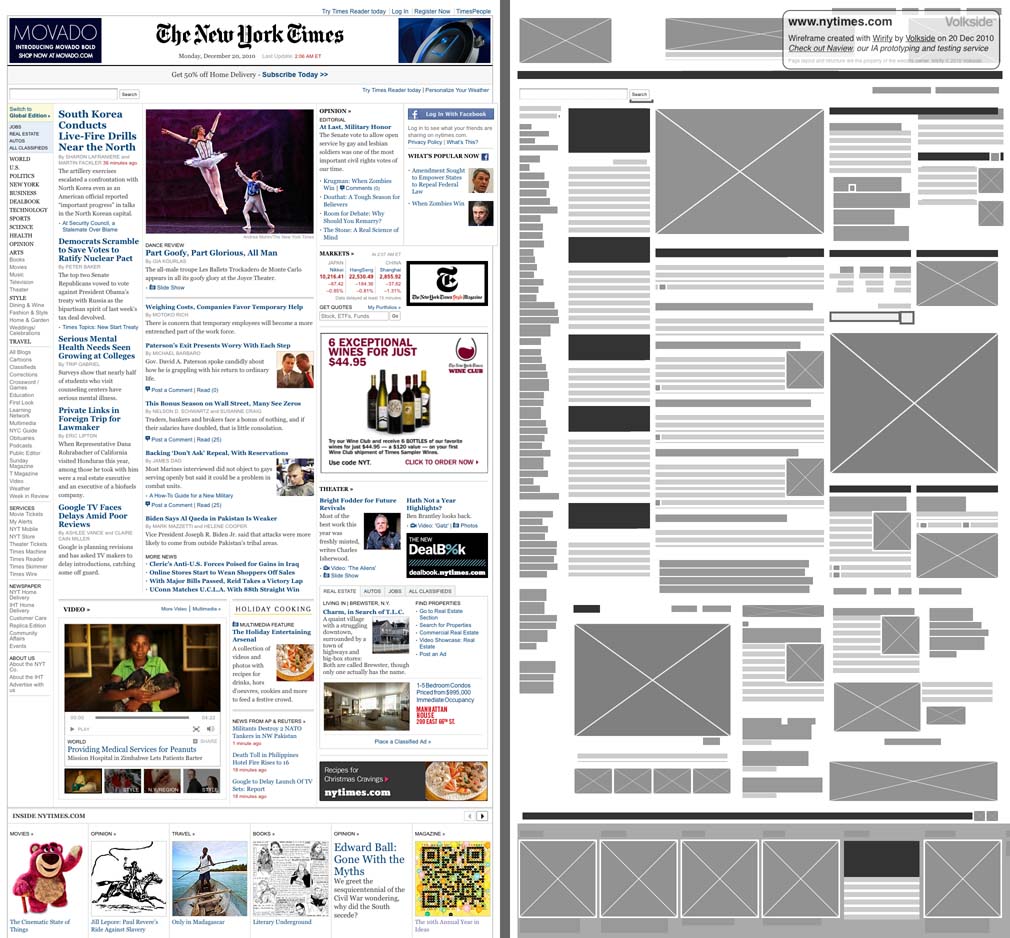
Source: The New York Times
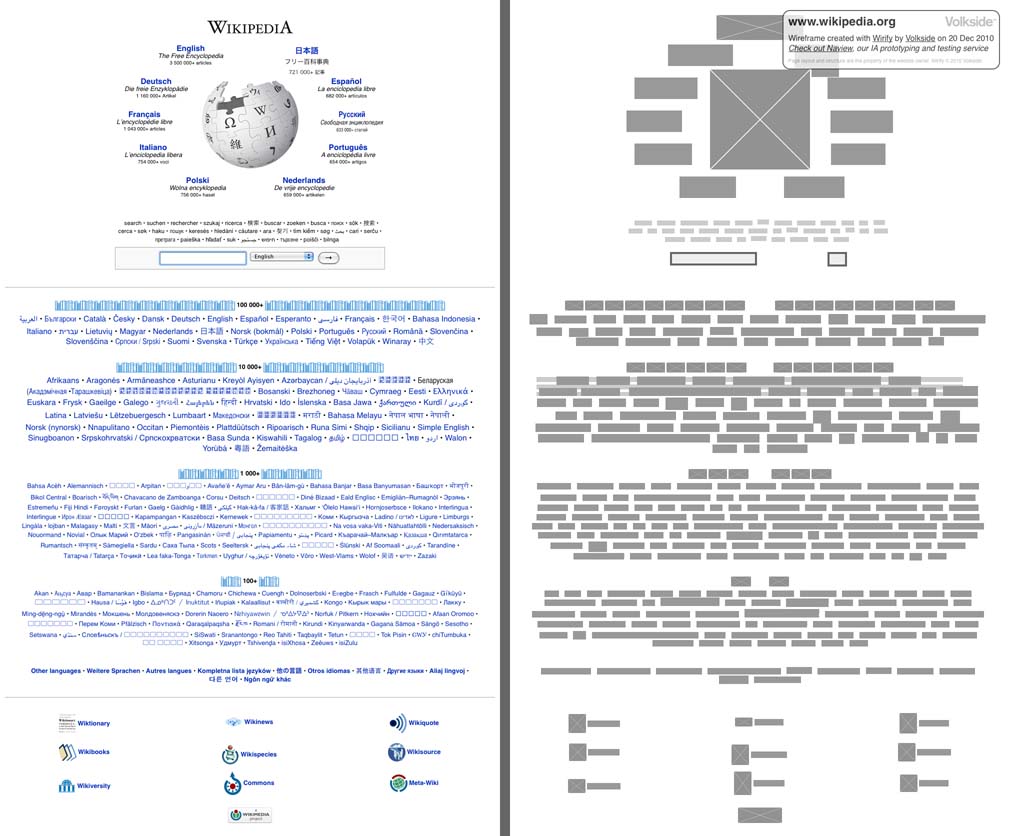
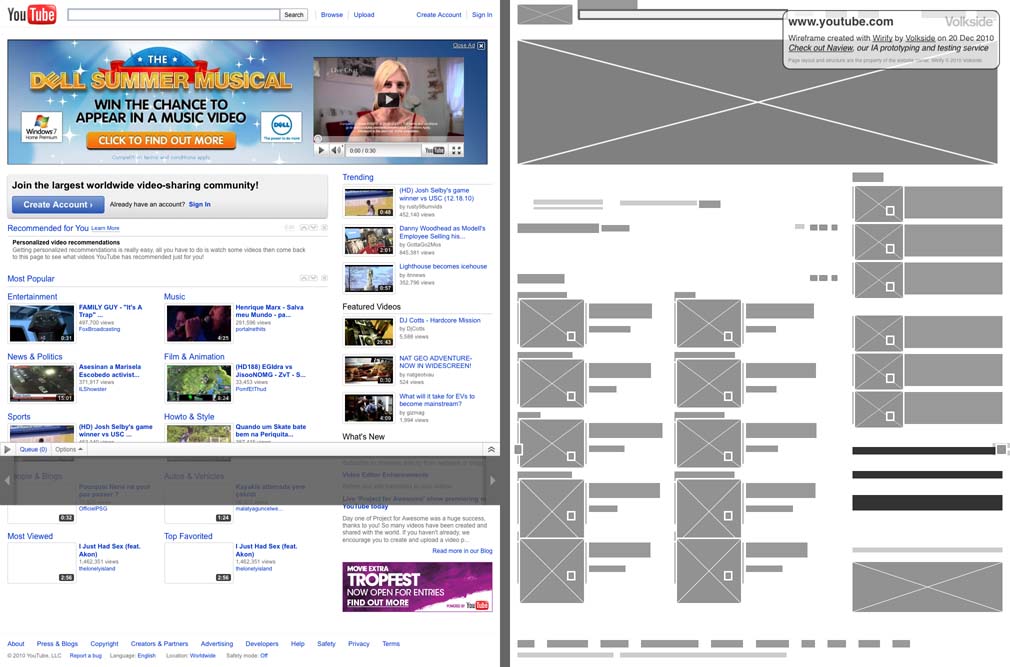
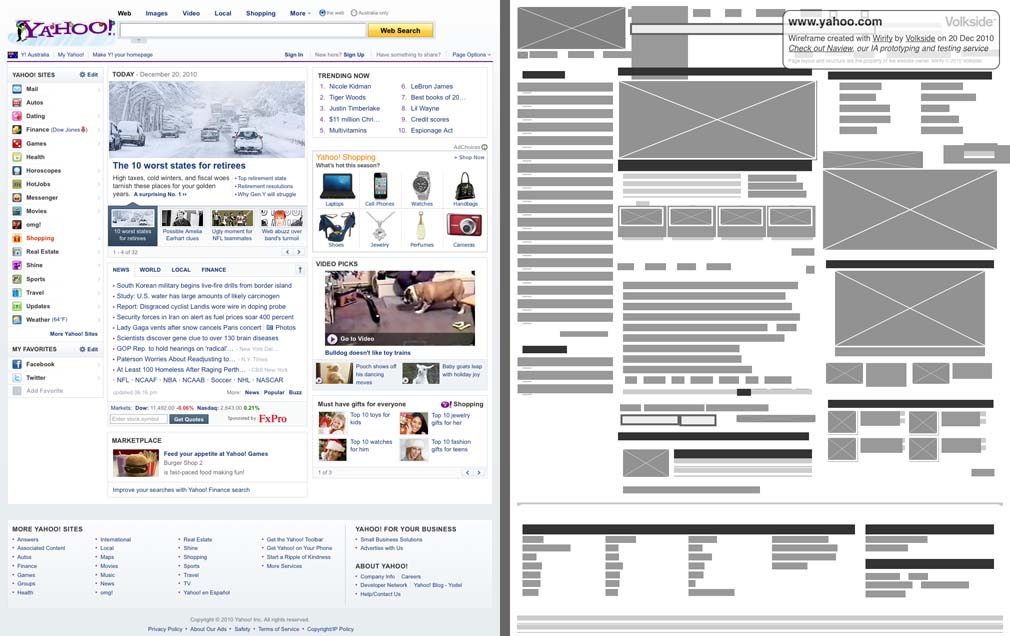
Additional examples: Wikipedia (source) YouTube (source), Yahoo (source)
Why would anyone want to do that?
There are some compelling reasons for viewing a live web page as a wireframe – moved to the Wirify homepage (28 Jan 2011)
Inspired by Web Without Words
Wirify is heavily inspired by Paul Armstrong’s Web Without Words, explained below in his own words:
web.without.words started simply as a way for me “practice what I preach” — to visually represent my core belief that hierarchy, grid systems and uniformity ultimately lead to a more natural user experience. By showing the overall structure of any website, by stripping naked all the distractions of text and ads and images and showing a site for what the eye unconsciously perceives.
I loved the idea when I first saw it and like others thought it would be awesome to be able to de-word any website at a click. Wirify does that.
Wirify tips, tricks and limitations
Wirify tips, tricks and limitations have been moved to the Wirify homepage (5 Jan 2011)
Wirify terms of use
Wirify terms of use have been moved to the Wirify homepage (5 Jan 2011)
By accessing, installing or using Wirify you agree to the terms of use. (Added on 24 Dec, just so this is clear.)
You can find the permanent home of Wirify here – some of the above content has now been moved there. (5 Jan 2011)
Let us know what you think!
This is the very first public version of Wirify and it’s still wet behind the ears. Keep us posted with your feedback or comment below and we’ll see if we can make it better!
Video introduction, and a question (added 22 Dec)
Here’s a quick one minute video introduction to Wirify:
httpvh://www.youtube.com/watch?v=XgzPHFRx-xM
The next video shows a mockup of Wirify that allows you to control the level of detail between the original page and the wireframe.
httpvh://www.youtube.com/watch?v=wuKJVZRDjRo
Here’s my question for fellow interaction designers and information architects:
Would the level of detail control actually be useful in your (re)design work, or is it just a gimmick?
I am not entirely convinced that the benefits outweigh the added complexity. Feel free to post your comments below or contact me on Twitter via @jopas or @wirify. Thanks again!
This page last updated on 22 Apr 2011

Wow, what a fantastic response to Wirify on Twitter and elsewhere and it hasn’t even been 24 hours yet! Massive hat tip to all of you for trying it out!!
All your feedback is most welcome, feel free to comment here or drop me a line on Twitter (@jopas). Future Wirify updates will also be available on Twitter (@wirify).
Cheers, Jussi
Ps. I wanted to add that Wirify would not have been possible without jQuery, you guys are doing a fantastic job! Also big thanks to Tommy Saylor for his excellent bookmarklet article on Smashing Magazine.
awesome! very usefull for my planning jobs. thanks and keep the good work 🙂
Incredibly, incredibly awesome. Very useful as a starting point for wireframes if you have a site you like and a client wants something similar (but overall different).
The only thing I don’t like is that the box in the upper right isn’t able to be hidden. It actually blocks elements of a page which is annoying…
(Note: I moved this here from the Tools/Wirify page so it’s listed along with the other feedback. -Jussi)
Well done Jusi! It is an excellent tool!
However it seems that it doesn’t work correctly in IE 8 and win 7.
Also i would like to suggest making your promotional window a little more flexible so that it doesn’t messes up with the wireframe when making a screen capture.
Finally i would like to make a suggestion for future releases. It would be nice to be able to turn on and off the HTML elements on the wireframe.
Keep up the good work!
One word: AWESOME!!!
Hi there,
Just wanted to share my thanks for this neat tool. I’ve been using it for making screenshots of sites, and then testing them at our usability testing service.
I find testing wireframes like these is a really useful step in the process because users don’t get distracted by the content, and focus much more on the layout than anything. This saves me having to create wireframes for my testing and get’s them out there even quicker.
So a big thanks, and merry christmas.
Re: additional detail
It could be useful if the determinants for each level of detail were evident. As an example, frequently I’d like to be able to estimate how many words are fitting in a headline, but not be distracted by the images or ads. (I pretty much always want to differentiate between ads and images.)
If the determinants were clear, or even selectable, I would appreciate choosing the level of detail.
Marcin Treder, the co-creator of UXPin paper prototyping kit, has posted an interesting take on Wirify over at UXaid: Wirify and the problem of wireframes without content. I have re-posted my response below.
Hi Marcin,
Thanks a lot for your post; it’s the most detailed commentary on Wirify I have received so far.
As mentioned in my email I am not sure if I completely follow your first point above. I am assuming you’re talking about creating wireframes, something we UX people do on a weekly if not daily basis?
The main point of Wirify is not in fact the creation of wireframes at all, it is analysing existing page structures using them. All Wirify does is provide a slightly different perspective, which hopefully helps you notice new or different patterns by filtering out the “noise” of the fine detail. Wirify is not meant to replace any existing tools in the UX toolbox but rather supplement them.
This is a fair point and I fully agree that content is essential, and also that there is an interplay between form (structure) and content.
I like your example but I’m afraid we are approaching this from quite different angles. A Wirify wireframe is not a replacement for the wireframes we normally create – it’s merely a filter you can apply on existing web pages. You can’t use Wirify to solve a design problem (no software can do that) but you can use it to help you see how others have solved similar or related problems.
Have a look at Lee Munroe’s Checking Your Site For Visual Hierarchy and Paul Olyslager’s quick and easy ways to improve your website’s usability posts. They talk about the classic usability evaluation trick of using a blurred screenshot of a web page to see what really stands out and to analyse the visual hierarchy of the page. Wirify is an alternative version of this technique.
Finally, have a look at this video I posted today showing a prototype version of Wirify that lets you control the level of detail and gradually transition from the original web page (most detail) to the wireframes (least detail) and back: Wirify – Controlling wireframe level of detail
I wonder if that would address some of your concerns about Wirify “deleting” the content?
Cheers, Jussi
Jussi, thanks for the recognition above and in the comments of the .js file (Hope you don’t mind I peeked!). Wirify is a very cool little tool. Kudos! Definitely going into my bookmarklets folder!
If I may suggest… It’d be nice if I could hide, minimize, or move your
wf-infodiv. It’d also be super helpful if there were a switch or button to toggle back and forth between the original and wirified view, instead of just normalizing when clicking the page*.*If you do stay w/ this technique, I’d suggest adding
cursor: pointerto the CSS to kinda alert that some interactivity will take place upon click.Hi Tommy, cheers for having a look and I am glad you like it! The original intention was to release this as a Firefox Add-On but that would have been a hassle, not to mention limiting, compared to way it’s done now. So thanks again for your original Smashing article!
Yes I have received similar feedback from others and I’m definitely considering this, probably by making the info box movable. Good point regarding the cursor, too!
Ps. I will get back to the other comments above once we get through the silly season.
The discussion continues over at the UXaid blog, have a look at
Wirify and the problem of wireframes without content for more.
Also, here are my replies to the earlier comments above.
I hear you guys, see my response to Tommy above. I will certainly look into this.
Yeah IE support is not a strong point at the moment, and there are issues on Opera too. Overall Wirify need some comprehensive cross-browser testing regime…
Do you mean controlling which HTML elements (e.g. P, IMG, SPAN) to include in the wireframe? It’s an interesting idea but I’m afraid it would complicate the interface unnecessarily. I’m more inclined to something akin to the level of detail control shown in the second video above.
As an aside, you may have noticed that hovering over any of the elements in the wireframe displays the underlying HTML element type in a tooltip.
So essentially label or number each level and explain what’s shown when it’s selected? That’s a very good point, I’ll have a think about it.
Thanks heaps for your feedback everyone! Feel free to add yours below if you like.
好,非常好!
I love love love that you made a nice tool, based on my meager works at web.without.words. Part of my process on that site was to “breakdown” the site when viewed without content – which hopefully gives more insight into what I consider the most lacking and most important part of design (web or otherwise) and that is hierarchy. I’m almost tempted to use your tool and just post my critiques and reviews, which is to say, this is really awesome. Great job!
Hey Paul, that’s awesome feedback, thank you so much! Wirify would not exist today if it wasn’t for web.without.words.
That’s a great way of explaining why viewing pages this way is useful, too. It’s important to keep in mind that Wirify is just a tool and it will not do the analysis for you. I would strongly encourage everyone – especially those who are critical of the concept – to check out your work at Web Without Words and the way you review and discuss the reconstructed version of the page.
I personally like the aesthetics of your wireframes better with the higher contrast and coloured accents. Wirify is all grayscale intentionally though, in part to have that “traditional” wireframe look but also to be more impartial to the different element types (as colour implies importance).
Thanks again Paul!
不懂英文真吃亏,下载链接在哪?
Please view a Chinese translation of this page using Google Translate. Hope this helps!
Hi,
I really like the tool and have a few comments:
I would like a coding system or something to be able distinguish at a glance between e.g. images v. advertisement without hovering – I would want to print out the wireframe via a screengrab and find myself having to guess at the moment.
The advertisment is cool but much too large in its current location, obscuring parts of the wireframe itself. I have no problem with the presence of it.
The accuracy is fairly good but could use certainly use some improvement.
Thanks
Thanks
Great tool and very useful in planning new projects. Only comment for the slider / less detail section would be that ‘can the text be replaced with lorum ipsum instead of blocks?’
Other than that – perfect
We have just released an update to Wirify – you can now move the information overlay and Wirify runs better on Opera and Internet Explorer. Read Wirify January update for details.
Couple of quick comments on the feedback above:
Hi Noel, that’s an interesting idea. Do you mean showing normal images and interactive elements like Flash differently? This should be possible to do, I’ll have a think about it.
The information overlay can be moved around in the latest version of Wirify, I hope that helps.
Yes, this is a known issue. In a way this is a good thing though, as the created wireframe is indicative only. It should be sufficient for high-level analysis of the page structure and perhaps as a starting point for a redesign, however it should never be a project deliverable or replace an actual, designed wireframe.
Thanks Paul! I have decided to leave the level of detail control out for now as I think it would compromise the simplicity of the tool. The “lorem ipsum” replacement idea is interesting though, food for thought 🙂
Thanks again for all your feedback!
Loving this tool. Any idea if there might be a way to export/import these wireframes into Balsamiq or another prototyping/wireframe tool?
-Vin
In one of your youtube videos you adjust the level of detail which starts to show original elements within the wireframes, but my version of Wirify 1.2.1 doesnt seem to have this. Was it removed?
(Note: I moved this here from the Wirify homepage so it’s listed along with the other feedback. -Jussi)
Thanks Vin! There are no plans for export functionality at this stage, however we may consider it if there’s enough interest. That would most likely be a separate commercial version of Wirify though.
That slider was actually just a mockup version and never made it to Wirify. As briefly mentioned in the January update post I’ve decided not to include the wireframe level of detail control at this stage as it could compromise the simplicity of the tool.
This is quickly becoming one of my favorite tools. Love it, thank you for making such an easy-to-use tool!
Wirify is very nice, would really like to export the content in to a customizable format. Would be great for developing A/B tests of landing pages and products pages. At least that’s what I’d use it for this second. Good deal, certainly needs to the ability to modify the output.
Great tool! I teach wireframing at the Art Institute and it’s really helpful to have a tool that can show students in real time what a site looks like behind the scenes!
Ive been doing wireframing on complex website and I love how I can grab some sample websites, wireframe it as a starting block. KODOS!
Brief update: We are currently working on export capability for Wirify, read full details in our latest blog post: Preview: Exporting Wirify wireframes to OmniGraffle. We have also released an update to Wirify with better rendering of overflow elements.
Some responses to your latest comments above:
Hi Annette, thank you for your kind words!
Michael, please see announcement above, I hope that’s close to what you were thinking.
John, thanks, that’s great to hear! I always thought Wirify would be useful for teaching and learning, and your comment certainly supports that.
Carey, I’m glad you’re finding the tool useful, cheers!
awesome! very usefull and thanks and keep the good work.
Cool concept but needs some work. Ran it on a couple of my sites and wasn’t so hot. Ran it on Yahoo and it was better but still not what I was hoping.